
使用智能路由
使用智能路由
Section titled “使用智能路由”本教程将介绍如何通过平台快速获取调用智能模型所需的 API Key 并快速调用智能路由。
说明:
- 如果没有可用的API 令牌,请联系管理员帮忙开通
- 若需查询管理员开通API 令牌,请查看添加令牌
步骤 1:复制 API Key
Section titled “步骤 1:复制 API Key”调用 AI Fusion 平台提供的接口和模型,需要先获取 API Key。
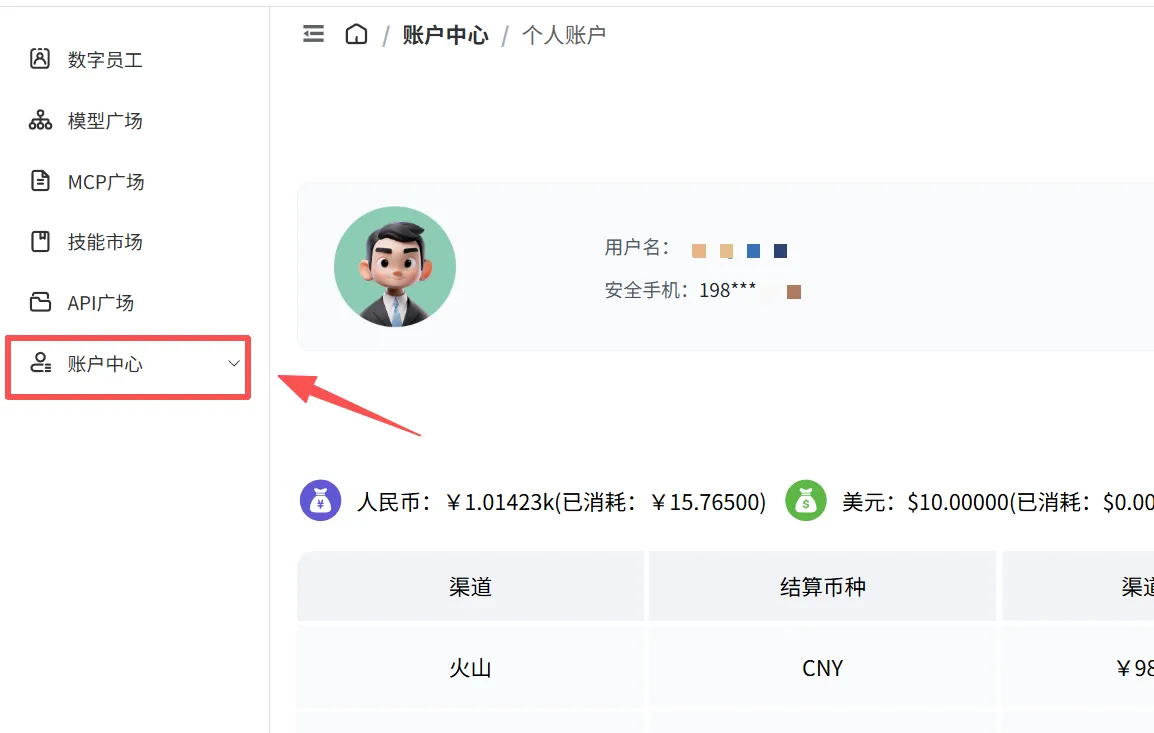
1.1 进入账户中心
Section titled “1.1 进入账户中心”登录系统后,在左侧导航栏中点击 账户中心 菜单。
1.2 进入 API 令牌页面
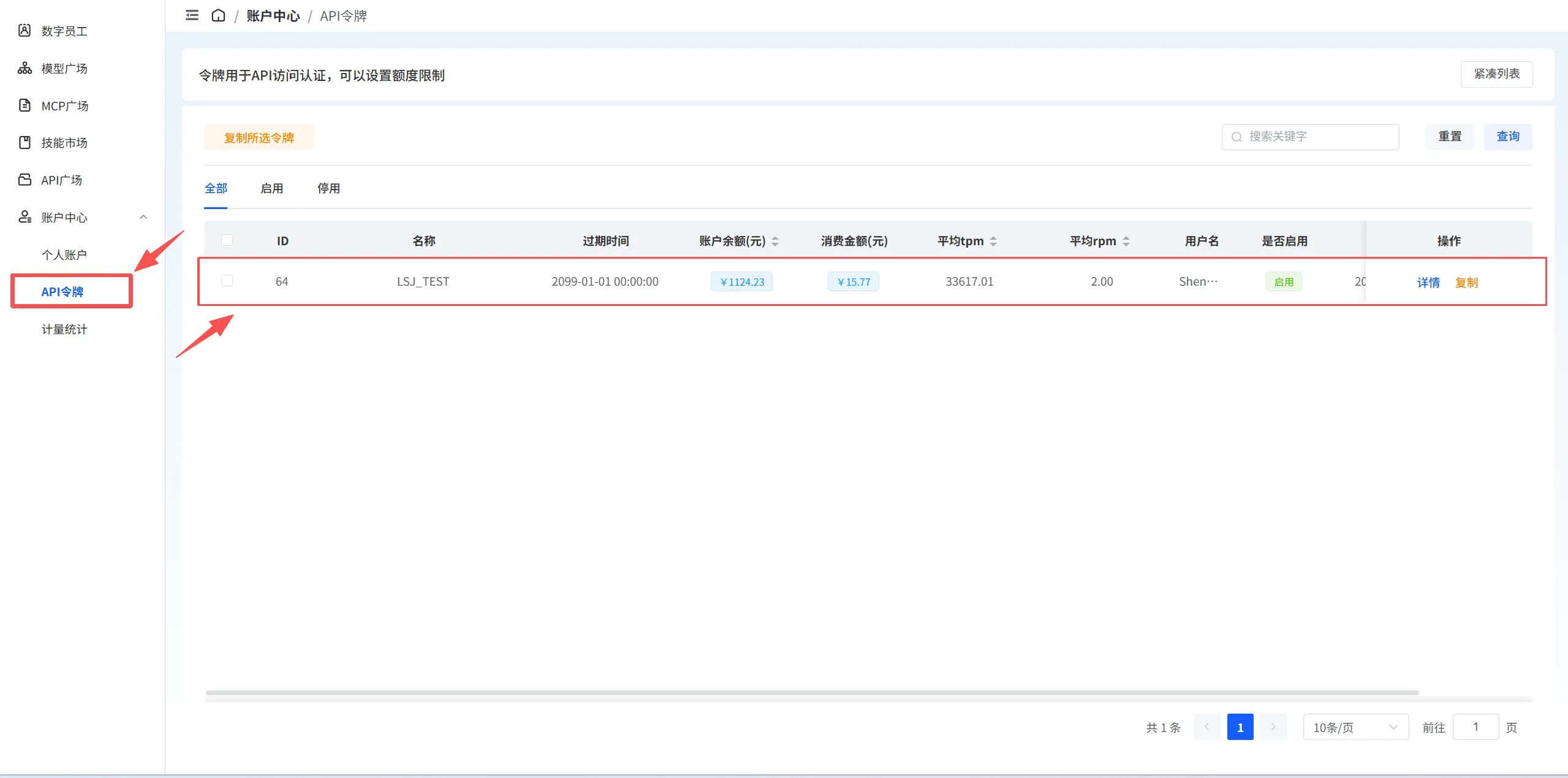
Section titled “1.2 进入 API 令牌页面”在账户中心的左侧子菜单中,点击 API 令牌 进入令牌管理页面。
1.3 复制 API Key
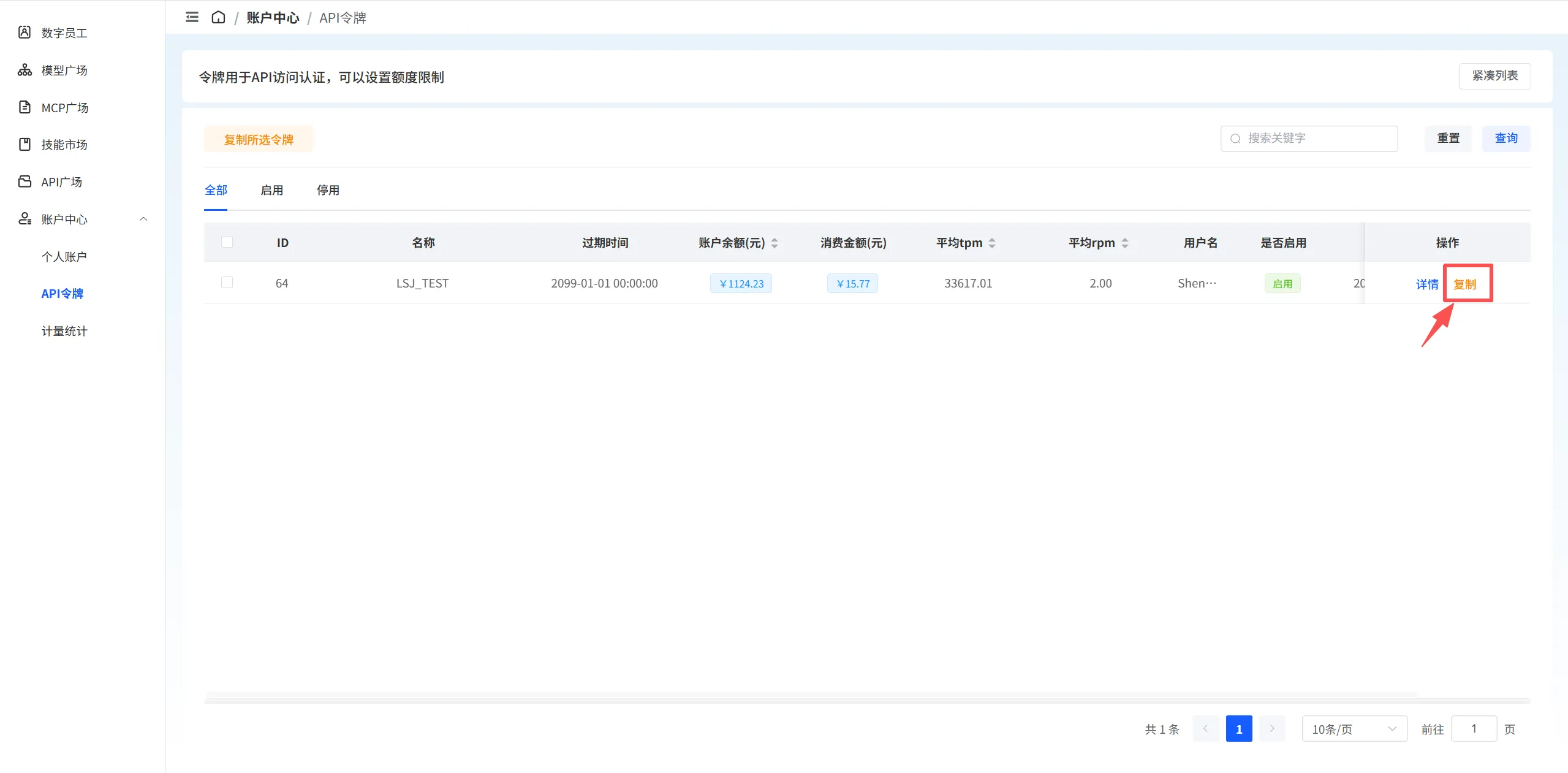
Section titled “1.3 复制 API Key”在 API 令牌列表中,找到需要使用的令牌,点击操作列中的 复制 按钮,即可将 API Key 复制到剪贴板。
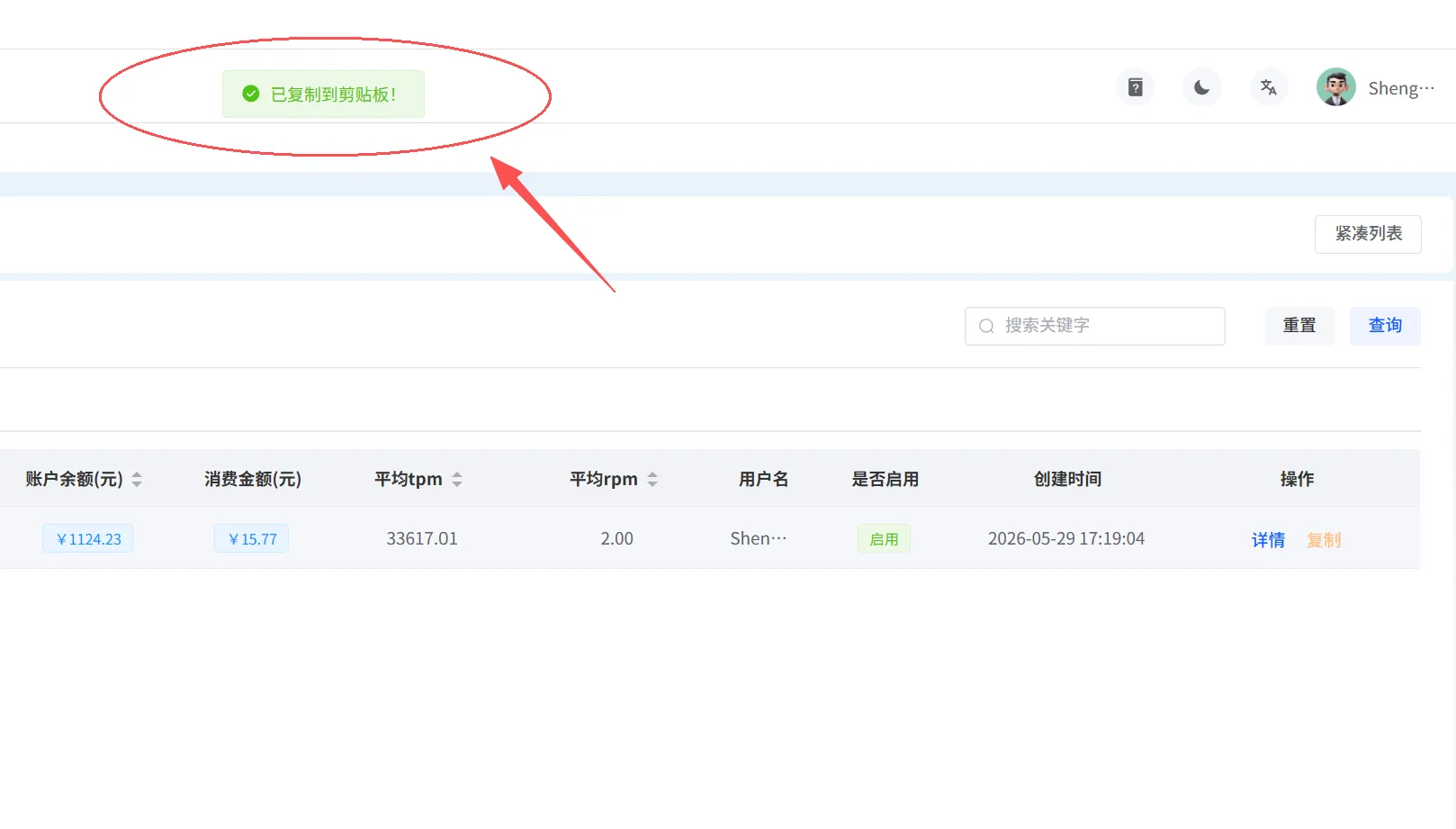
复制成功后,系统会显示 “已复制到剪贴板” 的提示信息。
步骤 2:获取接入点名称
Section titled “步骤 2:获取接入点名称”获取 API Key 后,您需要获取要调用的智能路由名称(model-name)。
2.1 进入智能路由
Section titled “2.1 进入智能路由”在左侧导航栏中点击 智能路由 菜单,进入页面。
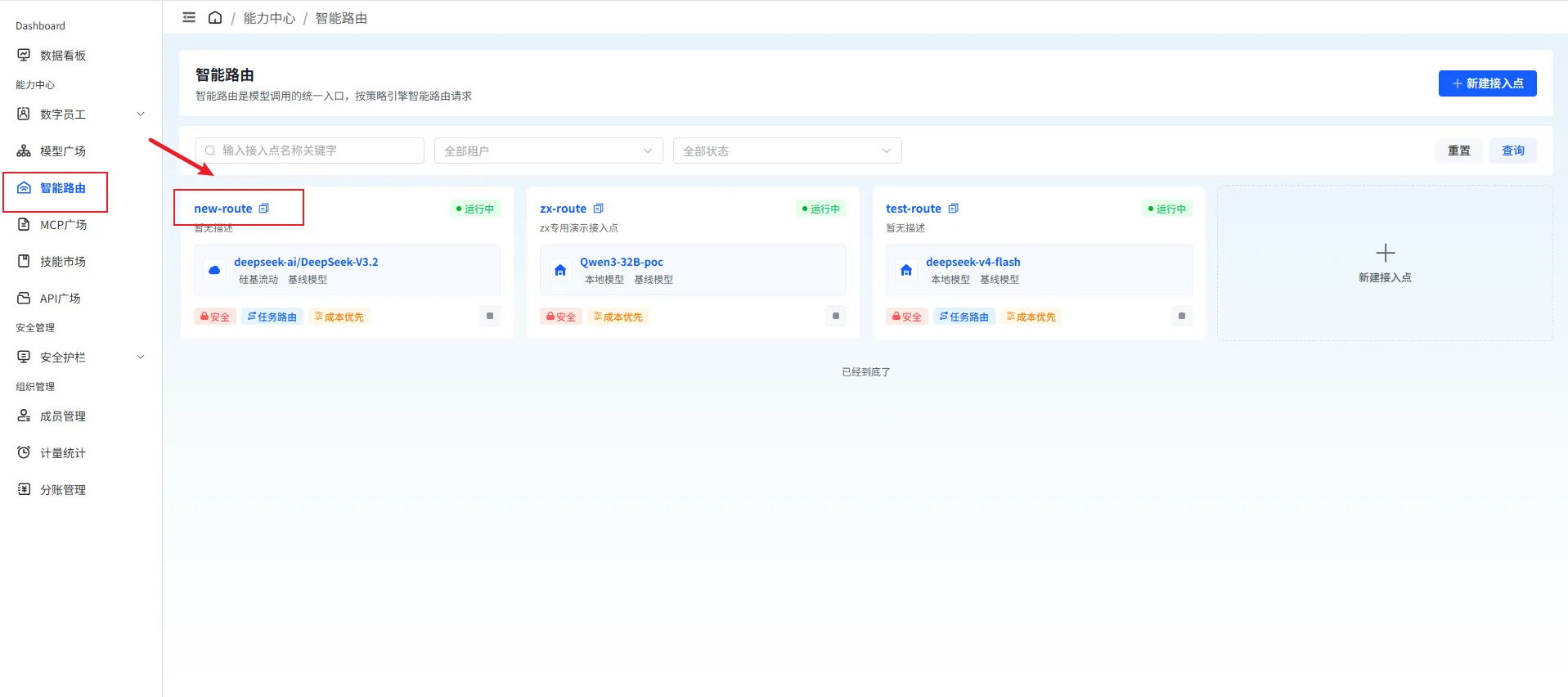
在智能路由中,您可以查看所有可用接入点及其相关信息,包括:
- 接入点名称
- 接入点描述
- 可用状态
- 使用模型
2.2 查看详情
Section titled “2.2 查看详情”点击任意模型卡片,可以查看该接入点的详细信息,包括接入点名称、使用模型、安全策略、调用方式、策略配置等。
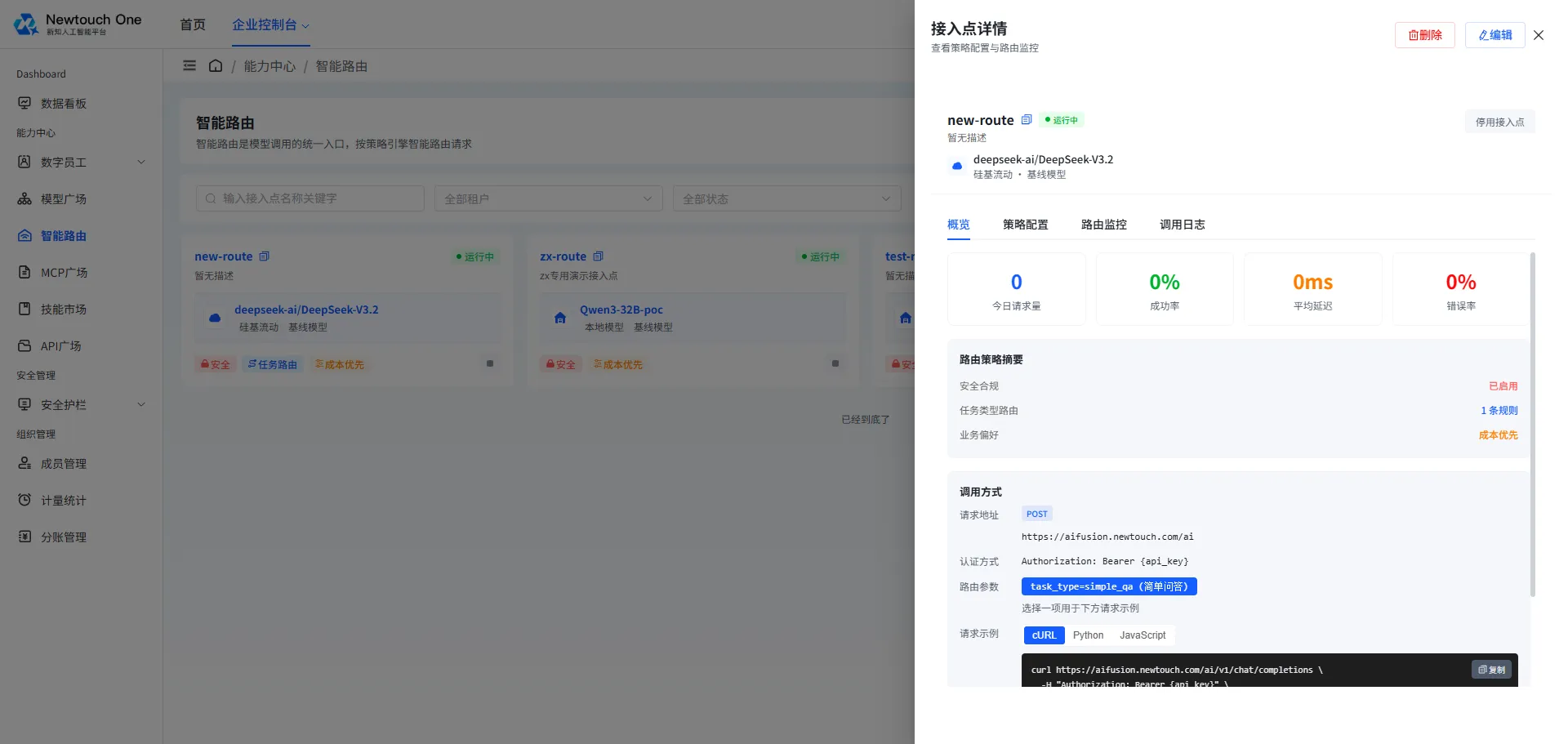
记录模型卡片顶部橙色标签中显示的 接入点名称(如 new-route),该名称将用于 API 调用。
步骤 3:调用模型
Section titled “步骤 3:调用模型”获取 API Key 和接入点名称后,您可以使用以下样例代码调用智能路由。
使用 cURL 调用
Section titled “使用 cURL 调用”curl https://aifusion.newtouch.com/ai/v1/chat/completions \ -H "Authorization: Bearer {api_key}" \ -H "Content-Type: application/json" \ -H "task_type: simple_qa" \ -d '{ "model": "new-route", "messages": [{"role": "user", "content": "你好"}] }'使用 Python 调用
Section titled “使用 Python 调用”import requests
url = "https://aifusion.newtouch.com/ai/v1/chat/completions"headers = { "Authorization": "Bearer {api_key}", "Content-Type": "application/json", "task_type": "simple_qa"}data = { "model": "new-route", "messages": [{"role": "user", "content": "你好"}]}
response = requests.post(url, headers=headers, json=data)print(response.json())使用 Node.js 调用
Section titled “使用 Node.js 调用”fetch("https://aifusion.newtouch.com/ai/v1/chat/completions", { method: "POST", headers: { Authorization: "Bearer {api_key}", "Content-Type": "application/json", task_type: "simple_qa", }, body: JSON.stringify({ model: "new-route", messages: [{ role: "user", content: "你好" }], }),}) .then((res) => res.json()) .then((data) => console.log(data)) .catch((err) => console.error(err));- 请将样例代码中的
{api_key}替换为您复制的 API Key。 - 请将样例代码中的
model替换为您要调用的接入点名称。 - API Key 是访问 API 接口的重要凭证,请妥善保管,不要泄露给他人。
- 如发现 API Key 已泄露,请及时禁用或删除该令牌并重新创建。
- 接入点调用会产生费用,请在账户中心查看余额和消费记录。